Drive app screens & user flows
Explore up to date search, referral, dashboard, reviews, and onboarding flows from Drive and more on Lazyweb.
Drive in Productivity — see 8 app screens across search, referral, dashboard, reviews, and onboarding flows. Compare onboarding, paywall, and pricing patterns against real competitors inside Lazyweb.
Lazyweb is a blazing-fast design research library with 281k+ real app screens, user flow examples, UI patterns, and product design patterns for competitive analysis and benchmarking.
Screenshots
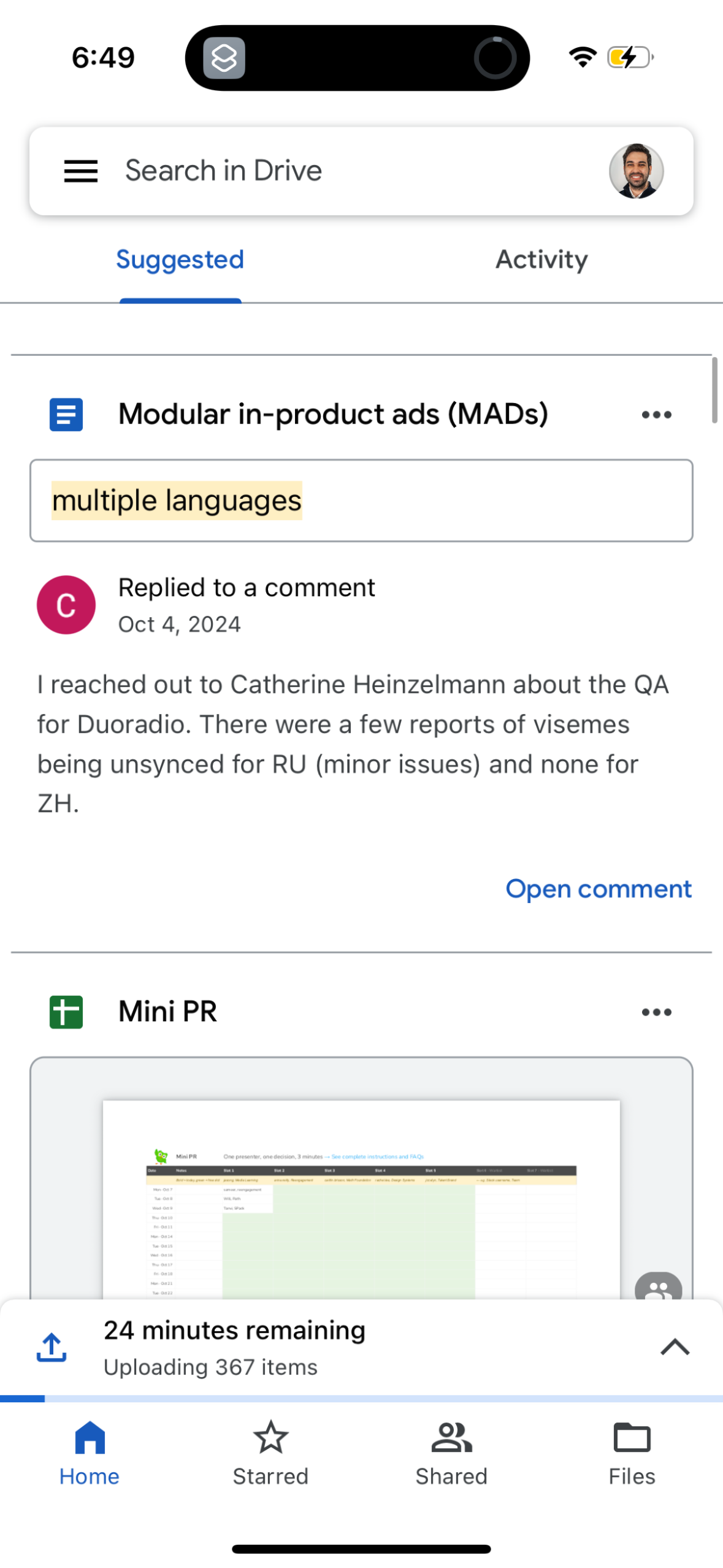
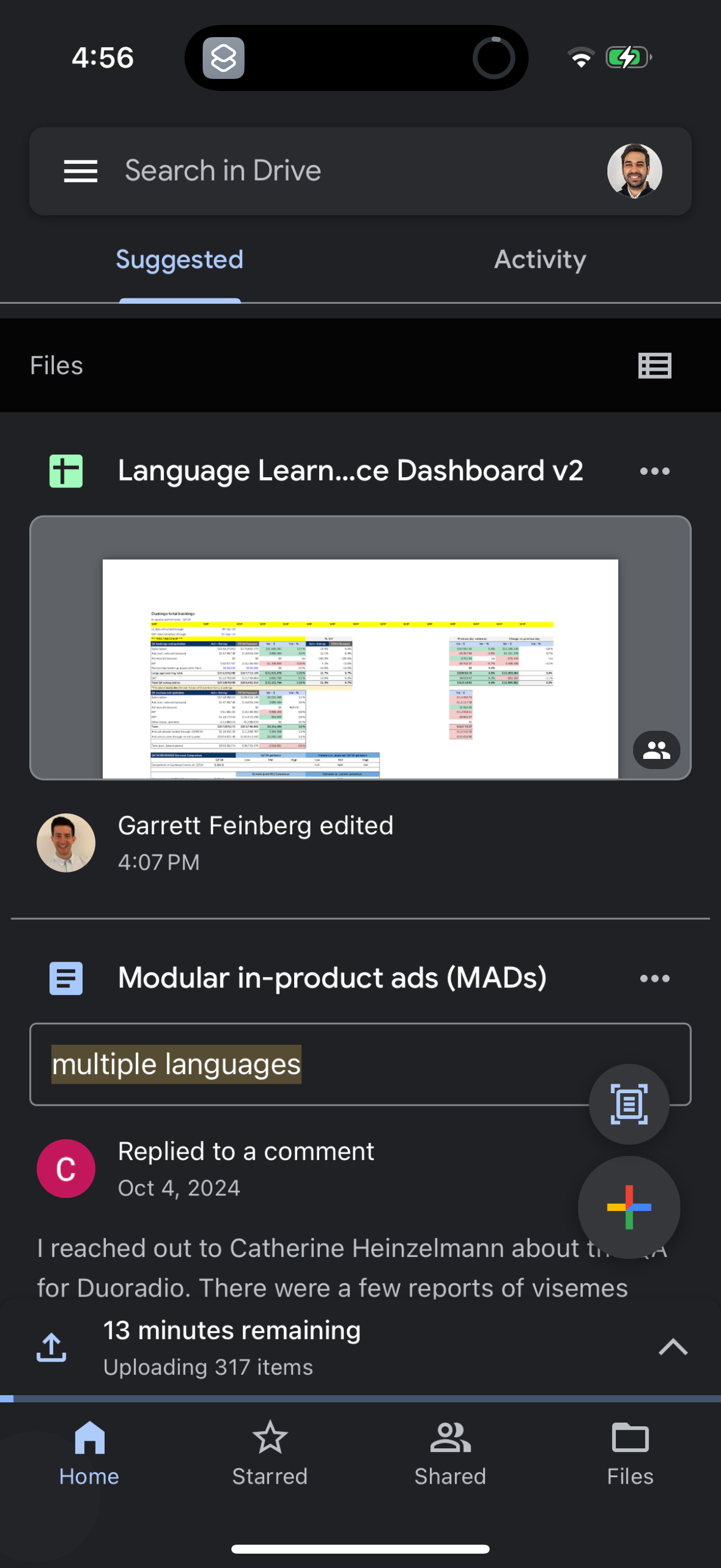
Company metadata
| Category | Productivity |
|---|---|
| Subcategory | Cloud Storage & File Sync |
| Tagline | AI-powered, secure cloud storage for seamless file sharing and enhanced collaboration. |
| Business model | Subscription, B2B Licensing, Cross-subsidized Funnel / Companion App |
| Product archetype | Social, Collaborative, Enterprise |
| Growth engine | Network effects (social graph), UGC / creator-led, Hardware/Distribution bundling, Sales-led (B2B), Product-led sales (PLS), Land-and-expand, Cold outreach, Channel / partnership-led |
| Active users | 2,000,000,000 |
| Public company | Yes |
| Market leader | Yes |
| Website | https://www.google.com/drive |
| App Store | https://apps.apple.com/us/app/google-drive/id507874739 |
| X / Twitter | https://x.com/googledrive |
| https://www.instagram.com/googleworkspace/ | |
| https://www.linkedin.com/showcase/googleworkspace/ | |
| TikTok | https://www.tiktok.com/@googleworkspace |
App Store description
Google Drive lets you securely store, intelligently organize and collaborate on files and folders from anywhere, on any device. With Drive, you can: • Safely store and access your files anywhere • Edit and store 100+ file types, including PDFs, Office files, videos and more • Scan and upload paper documents using your device’s camera • Quickly access recent and important files • Search for files by name and content • Filter files by type, last modified date and more • Share and set permissions for files and folders • View your content on the go while offline • Receive notifications about important activity on your files Google Workspace subscribers have access to additional Drive functionality, including: • Using AI to summarize information, retrieve quick facts, and surface insights from your files • Security and management controls for admins to help meet data compliance needs • Sharing files and folders directly with groups or teams within your organization • Creating a shared drive to store all of your team’s content • Requesting electronic signatures and manage vendor agreements, customer contracts, and more Learn more about Google Apps update policy: https://support.google.com/a/answer/6288871 Google accounts get 15GB of storage, shared across Google Drive, Gmail, and Google Photos. For additional storage, you can upgrade to Google Workspace or Google One as an in-app purchase. Storage subscriptions purchased from the app will be charged to your iTunes Account, and automatically renew unless auto-renew is turned off at least 24 hours before the end of the current period. Subscriptions and auto-renewal may be managed by going to iTunes Account Settings after purchase. Google Privacy Policy: https://www.google.com/intl/en_US/policies/privacy Google Drive Terms of Service: https://www.google.com/drive/terms-of-service Follow us for more: X: https://x.com/googleworkspace and https://x.com/googledrive LinkedIn: https://www.linkedin.com/showcase/googleworkspace Facebook: https://www.facebook.com/googleworkspace/